BMW 325xi Sedan (2006 year). Instruction - part 5
77
Clock
The settings are stored for the remote control
currently in use, refer also to Personal Profile on
page
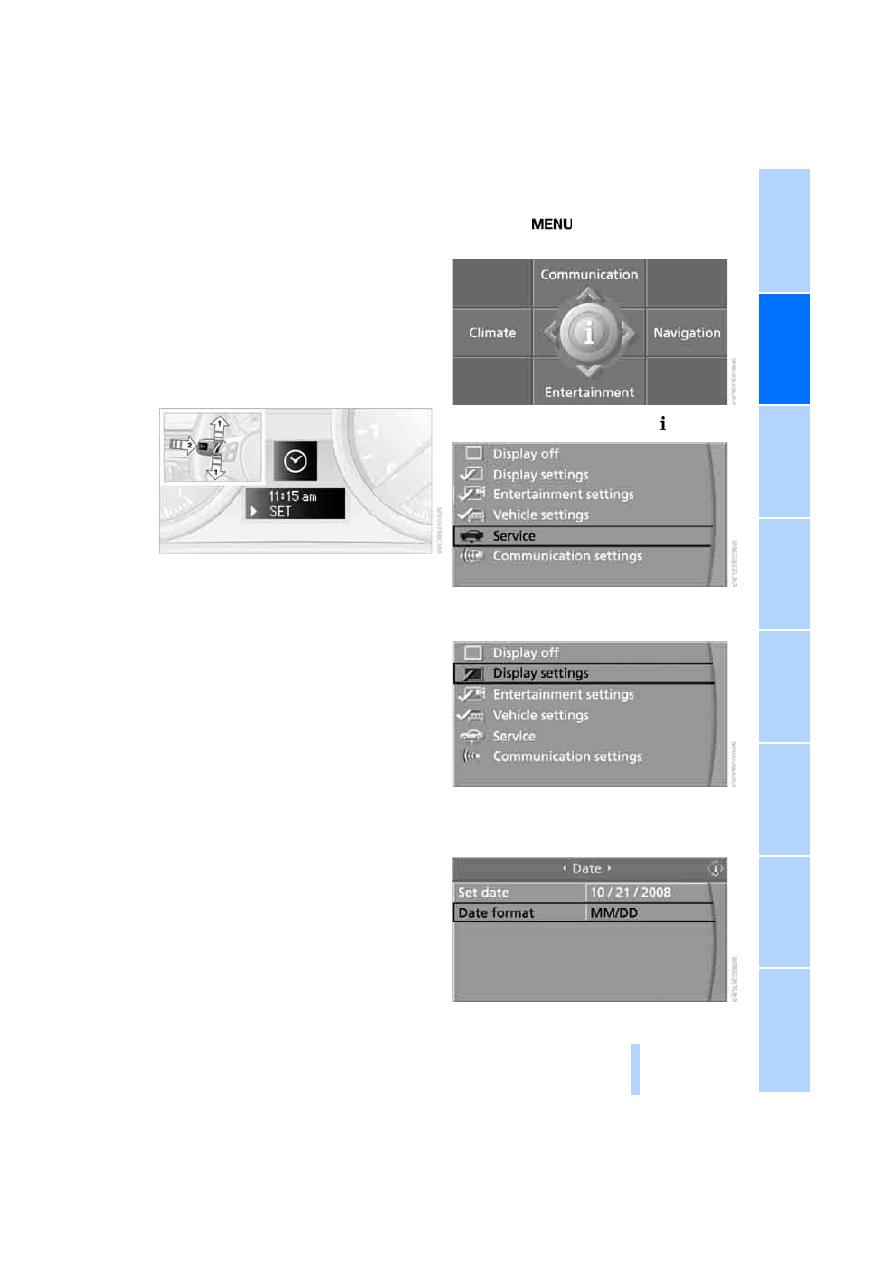
Setting the time
In the instrument cluster
To set the 12h/24h mode, refer to Setting the
time format below.
1.
Lightly push button
1 in the turn indicator
stalk up or down repeatedly until the appro-
priate symbol appears in the display,
accompanied by the time and the word
"SET".
2.
Press button
2.
3.
Use button
1 to set the hours.
4.
Press button
2.
5.
Use button
1 to set the minutes.
6.
Press button
2.
The system displays the new time.
7.
Use button
2 to save the new time.
Via iDrive
.
1.
Press the
button once or twice until
the start menu appears.
2.
Press the controller to open the menu.
3.
Turn the controller until "Display settings"
is selected and press the controller.
4.
If necessary, move the controller forwards
once to move the highlight marker to the
uppermost field.