Alfa Romeo Stelvio (2022 year). Manual in english - page 18
287
288
04026S0981EM
289
04026S0993EM
USB socket (battery charger)
The glove compartment underneath the
front armrest also contains a third USB
socket 3 fig. 289 for use as a "battery
charger" only.
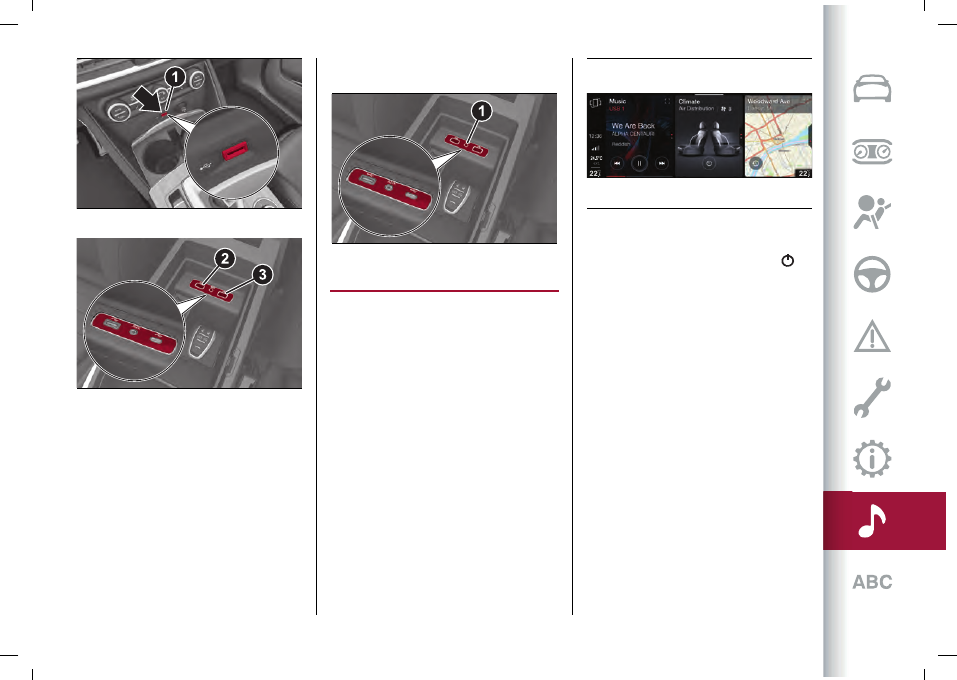
AUX SOURCE
To activate AUX mode, insert an
appropriate device in the AUX socket 1
fig. 290 on the car.
When a device is connected to that
socket, the system starts reproducing
the connected AUX source, if it is already
playing.
290
04026S0982EM
CLIMATE CONTROL SYSTEM
The Connect system lets you interact
with the automatic dual-zone
climate control system to adjust the
temperature inside the passenger
compartment.
NOTE The climate control widget is only
active via the touchscreen function.
The climate control widget in the Main
Menu can display two different contents:
"Air distribution" fig. 291 and "Comfort"
(present only in case of heated electric
seats and heated electric steering
wheel).
Scroll up/down on the widget
you can
change the display.
Pressing the widget
to activate the "Air
Distribution" or "Comfort" screen.
291
12126S0970EM
On the climate control system widget
is displayed a single graphic button
(activated only using the touchscreen
function) which, if pressed, allows you to
turn off the automatic dial-zone climate
control system and then turn it back on
in its last active configuration before
turning off.
"AIR DISTRIBUTION" SCREEN
The "Air Distribution" menu can be used
to adjust the air temperature on driver
and passenger side.
Graphic buttons are present on the
screen for activating the same functions
which can be selected using the buttons
on the display of the automatic dual-zone
climate control system located in the
passenger compartment (see "Climate
control system" paragraph in the
"Knowing your car" chapter).