Acura TLX (2021 year). Manual in english - page 6
 

  Index      Manuals     Acura TLX (2021 year). Manual in english


Search            copyright infringement  


Content      ..     4      5      6      7     ..


Acura TLX (2021 year). Manual in english - page 6


92

uu

Indicators

u

In

strum

ent Pa

nel

Indicator

Name

On/Blinking

Explanation

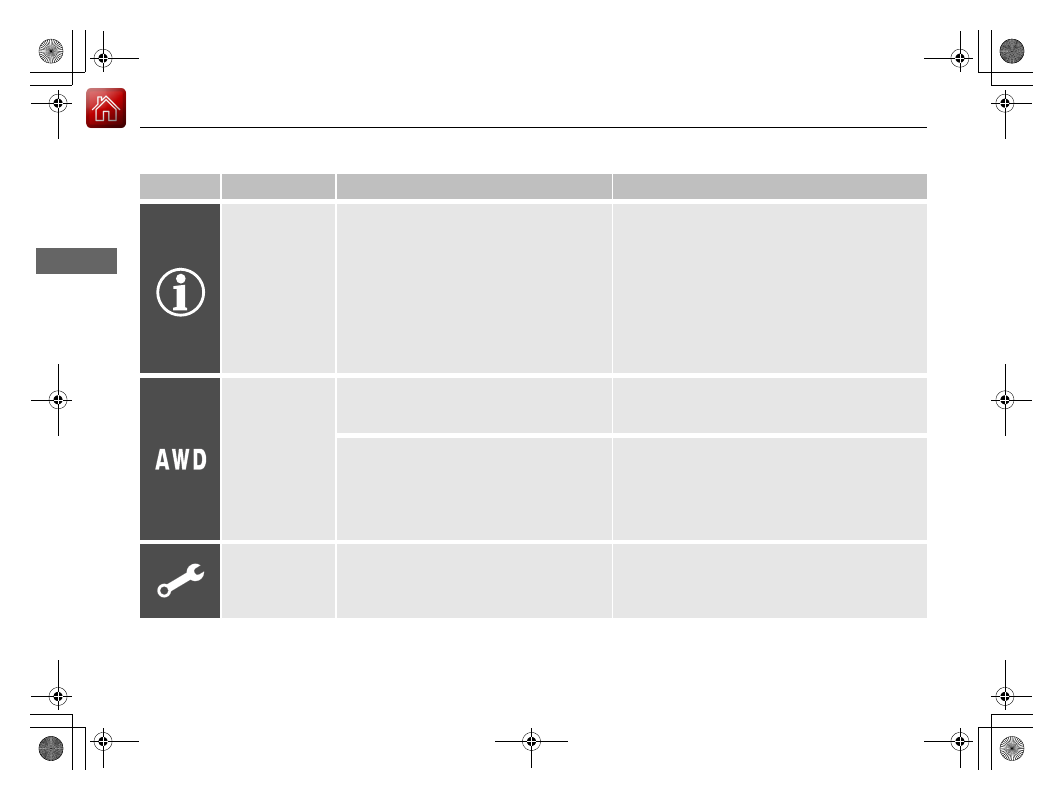
System Message 
Indicator

Comes on along with a beep when a 
problem is detected. A system message on 
the multi-information display appears at the 
same time.

While the indicator is on, roll the right selector 
wheel to see the message again.

2

Switching the Display

 P. 100

Refer to the Indicators information in this chapter 
when a system message appears on the multi-
information display. Take the appropriate action 
for the message.

The multi-information display does not return to 
the normal screen unless the warning is canceled, 
or the right selector wheel is pressed.

Super Handling-
All Wheel Drive

TM


(SH-AWD

®

Indicator

*

Comes on if there is a problem with the 
SH-AWD

®

 system.

Stays on constantly 

- The engine drives the front 

wheels only in this state. Have your vehicle checked 
by a dealer.

Blinks when the differential temperature is 
too high.

Blinks while driving 

- Stop in a safe place, put the 

transmission into 

(

P

, and idle the engine until the 

indicator goes off. If the indicator does not stop 
blinking, take your vehicle to a dealer.

2

Super Handling-All Wheel Drive

TM

 (SH-

AWD

®

)

*

 P. 405

Maintenance 
Minder Indicator

Comes on when the scheduled maintenance 
is due soon.

Consequently, 

Maintenance Due Now

 and 

Maintenance Past Due

 follow.

2

Maintenance Minder

TM

 P. 521

* Not available on all models

-------------------------------------------------------------------------------------------------------------------------------------------------------------

93

uu

Indicators

u

Continued

In

strum

ent Pa

nel

Indicator

Name

On/Blinking

Explanation

Adaptive Cruise 
Control (ACC) 
with Low Speed 
Follow Indicator 
(Amber)

Comes on if there is a problem with ACC 
with Low Speed Follow.

Comes on while driving 

- Have your vehicle 

checked by a dealer.

Indicator may come on temporarily when the 
Maximum Load Limit is exceeded.

ACC with Low Speed Follow has been 
automatically canceled.

Make sure the total load is within the Maximum 
Load Limit.

2

Maximum Load Limit

 P. 369

Stays on constantly 

- Have your vehicle checked 

by a dealer.

Comes on if the ACC is deactivated 
temporarily after the battery has been 
disconnected, then re-connected.

Drive a short distance at more than 12 mph (20 
km/h). The indicator should go off. If it does not, 
have your vehicle checked by a dealer.

Adaptive Cruise 
Control (ACC) 
with Low Speed 
Follow Indicator 
(White/Green)

Lights up in white when you press the 


button.

Lights up in green when you press the 

RES/+

 button or 

SET/-

 button.

2

Adaptive Cruise Control (ACC) with Low 
Speed Follow

 P. 428

Lane Keeping 
Assist System 
(LKAS) Indicator 
(Amber)

Comes on if there is a problem with the 
LKAS.

Stays on constantly 

- Have your vehicle checked 

by a dealer.

Lane Keeping 
Assist System 
(LKAS) Indicator 
(White/Green)

Lights up in white when you press the LKAS 
button.

Lights up in green when the LKAS is in 
operation.

2

Lane Keeping Assist System (LKAS)

 P. 448

-------------------------------------------------------------------------------------------------------------------------------------------------------------

94

uu

Indicators

u

In

strum

ent Pa

nel

Indicator

Name

On/Blinking

Explanation

Cruise Mode 
Indicator (White/
Green)

Lights up in white when you change to 
cruise mode.

Lights up in green when you have set a 
speed for cruise control.

2

To Switch ACC with Low Speed Follow to 
Cruise Control

 P. 444

Safety Support 
Indicator (Amber)

Comes on if there is a problem with RDM, 
CMBS

TM

, or blind spot information system

*

.

Stays on constantly

 - Have your vehicle checked 

by a dealer.

Indicator may come on temporarily when the 
Maximum Load Limit is exceeded.

Make sure the total load is within the Maximum 
Load Limit.

2

Maximum Load Limit

 P. 369

Stays on constantly

 - Have your vehicle checked 

by a dealer.

Comes on if the RDM and CMBS

TM

 are 

deactivated temporarily after the battery has 
been disconnected and then re-connected.

Drive a short distance at more than 12 mph (20 
km/h). The indicator should go off. If it does not, 
have your vehicle checked by a dealer.

* Not available on all models

-------------------------------------------------------------------------------------------------------------------------------------------------------------

95

uu

Indicators

u

Continued

In

strum

ent Pa

nel

Indicator

Name

On/Blinking

Explanation

Safety Support 
Indicator (Amber)

Comes on when RDM and/or CMBS

TM

 shuts 

itself off.

Indicator may come on temporarily when passing 
through an enclosed space, such as a tunnel.

The area around the radar sensor is blocked by dirt, 
mud, etc. Stop your vehicle in a safe place and wipe 
the debris off with a soft cloth. Indicator may take 
some time to go off after the radar sensor is 
cleaned.

Have your vehicle checked by a dealer if the 
indicator does not go off even after you have 
cleaned the radar sensor.

2

Radar Sensor

 P. 482

Stays on

 - The temperature inside the camera is 

too high.
Use the climate control system to cool down the 
camera.
The system activates when the temperature inside 
the camera cools down.

2

Front Sensor Camera

 P. 480

Stays on

 - The area around the camera is blocked 

by dirt, mud, etc. Stop your vehicle in a safe place 
and wipe the debris off with a soft cloth.

Have your vehicle checked by a dealer if the 
indicator and message are still displayed even after 
you have cleaned the area around the camera.

2

Front Sensor Camera

 P. 480

-------------------------------------------------------------------------------------------------------------------------------------------------------------

96

uu

Indicators

u

In

strum

ent Pa

nel

Indicator

Name

On/Blinking

Explanation

Safety Support 
Indicator (Amber)

Comes on when mud, snow, or ice has 
accumulated in the vicinity of the blind spot 
information system sensor.

Comes on while driving

 - Remove the obstacle in 

the vicinity of the blind spot information system 
sensor.

2

Blind spot information System

*

 P. 410

Safety Support 
Indicator (Green/
Gray)

Lights up in green when RDM, CMBS

TM

, and 

blind spot information system

*

 are on.

Lights up in green and gray when RDM, 
CMBS

TM

, or blind spot information system

*

or any two of these systems are off.

Lights up in gray when RDM, CMBS

TM

, and 

blind spot information system

*

 are off.

2

RDM On and Off

 P. 471

2

CMBS

TM

 On and Off

 P. 421

2

Blind spot information System On and Off


P. 412

Models with blind spot information system

* Not available on all models

-------------------------------------------------------------------------------------------------------------------------------------------------------------

97

In

strum

ent Pa

nel

Gauges and Multi-Information Display

Gauges

Gauges include the speedometer, tachometer, fuel gauge, and related indicators. 
They are displayed when the power mode is in ON.

Displays your driving speed in mph (U.S.) or km/h (Canada).

Shows the number of engine revolutions per minute.

Displays the amount of fuel left in the fuel tank.

Displays the temperature of the engine coolant.

Shows the current mode for ACC with Low Speed Follow, LKAS, and traffic jam 
assist.

2

Adaptive Cruise Control (ACC) with Low Speed Follow

 P. 428

2

Lane Keeping Assist System (LKAS)

 P. 448

2

Traffic Jam Assist

 P. 457

Speedometer

Tachometer

Fuel Gauge

Temperature Gauge

Current Mode for ACC with Low Speed Follow and, the 

LKAS, and Traffic Jam Assist

1

Fuel Gauge

NOTICE

You should refuel when the reading approaches 

.

Running out of fuel can cause the engine to misfire, 
damaging the catalytic converter.

The actual amount of remaining fuel may differ from 
the fuel gauge reading.

E

1

Temperature Gauge

NOTICE

Driving with the temperature gauge pointer in the 
upper zone can cause serious engine damage. Pull 
safely to the side of the road and allow engine 
temperature to return to normal.

2

Overheating

 P. 595

-------------------------------------------------------------------------------------------------------------------------------------------------------------

98

uu

Gauges and Multi-Information Display

u

Multi-Information Display

In

strum

ent Pa

nel

Multi-Information Display

The multi-information display shows information such as the estimated travelable 
distance and fuel economy of the vehicle. It also displays messages such as warnings 
and other helpful information.
When a warning message displays, please check the message and contact a dealer 
and have the vehicle inspected if necessary. Please refer to the pages below if the 

Engine Oil Pressure Low

”, “

Engine Temperature Too Hot

” or “

Slow Down! 

Reduced Stopping Power

” message is displayed.

2

If the Low Oil Pressure Warning Appears

 P. 597

2

Overheating

 P. 595

2

If the Slow Down! Reduced Stopping Power Warning Appears

 P. 598

Shows the total number of miles or kilometers that your vehicle has accumulated.

Sub Display

Odometer

Odometer

Outside Temperature

Compass

*

Dynamic Mode

* Not available on all models

-------------------------------------------------------------------------------------------------------------------------------------------------------------

Continued

99

uu

Gauges and Multi-Information Display

u

Multi-Information Display

In

strum

ent Pa

nel

Shows the outside temperature in Fahrenheit (U.S.) or Celsius (Canada).

Adjusting the outside temperature display

Adjust the temperature reading by up to ±5°F or ±3°C if the temperature reading 
seems incorrect.

Shows the current traveling direction of the vehicle.

Shows the current dynamic mode.

2

Integrated Dynamics System

 P. 388

Shows the current speed limit based on either 
information compiled through the navigation 
system

*

 or speed limit signs captured by the 

front sensor camera.

Outside Temperature

Compass

*

Dynamic Mode

Speed Limit Information

1

Outside Temperature

The temperature sensor is in the front bumper.
Road heat and exhaust from another vehicle can 
affect the temperature reading when your vehicle 
speed is less than 19 mph (30 km/h).

It may take several minutes for the display to be 
updated after the temperature reading has stabilized.

You can adjust the temperature reading.

2

Customized Features

 P. 300

1

Speed Limit Information

The speed limit displayed on the screen may differ to 
the actual speed limit.
The speed limit for some roads is not displayed.

You can select whether the source of the speed limit 
information is the front sensor camera or the 
navigation system.
You can also turn off speed limit information.

2

Customized Features

 P. 300

You can turn on or off the speed limit information.

2

Customized Features

 P. 300

Models with navigation system

Models without navigation system

* Not available on all models

-------------------------------------------------------------------------------------------------------------------------------------------------------------

100

uu

Gauges and Multi-Information Display

u

Multi-Information Display

In

strum

ent Pa

nel

Roll the right selector wheel to view different types of content.

Switching the Display

1

Switching the Display

If a warning initially appears, you can - after reading 
it - press the right selector wheel to proceed 
immediately to the content or to any other 
warning(s).

Right Selector Wheel

Warning Messages

Trip Computer

Sport Gauge 

Settings

Maintenance

Navigation/

Compass

*

Current Speed

Integrated Safety 

Switch

Driver Attention 

Monitor

Minimal

Speed/Distance 

Units

Tire Pressure for 

Each Tire

SH-AWD

®

*

* Not available on all models

-------------------------------------------------------------------------------------------------------------------------------------------------------------

101

uu

Gauges and Multi-Information Display

u

Multi-Information Display

Continued

In

strum

ent Pa

nel

Move the right selector wheel to the right or left to switch between trip computer A 
and trip computer B.

Trip meter

Shows the total number of miles or kilometers driven since the last reset. Meters A 
and B can be used to measure two separate trips.

Resetting a trip meter

To reset the trip meter, display it, press and hold the right selector wheel.

u

The trip meter is reset to 

0.0

.

Trip Computer

Trip Computer A

Trip Meter

Range

Average Fuel Economy

Instant Fuel Economy

-------------------------------------------------------------------------------------------------------------------------------------------------------------

uu

Gauges and Multi-Information Display

u

Multi-Information Display

102

In

strum

ent Pa

nel

Average fuel economy

Shows the estimated average fuel economy of each trip meter in mpg or l/100 km. 
The display is updated at set intervals. When a trip meter is reset, the average fuel 
economy is also reset.

Instant fuel economy

Shows the instant fuel economy as a bar graph in mpg or l/100 km.

Range

Shows the estimated distance you can travel on the remaining fuel. This estimated 
distance is based on the vehicle’s current fuel economy.

Compass

*

Shows the compass screen.

Turn-by-Turn Directions

When driving guidance is provided by the navigation system

*

 or Android Auto, turn-

by-turn directions to your destination appear.

2

Refer to the Navigation System Manual

2

Android Auto

 P. 270

Navigation

1

Average fuel economy

You can change when to reset the average fuel 
economy.

2

Customized Features

 P. 300

1

Navigation

You can cancel the driving guidance by pressing and 
holding the right selector wheel.

A confirmation screen appears when Apple CarPlay 
navigation route is active.

You can select whether to have the turn-by-turn 
display come on or not during the route guidance.

2

Customized Features

 P. 300

2

To Change Head-Up Display Content

 P. 113

* Not available on all models

-------------------------------------------------------------------------------------------------------------------------------------------------------------

Continued

103

uu

Gauges and Multi-Information Display

u

Multi-Information Display

In

strum

ent Pa

nel

You can check if there are any active warning messages.

Shows the remaining oil life and Maintenance Minder

TM

.

2

Maintenance Minder

TM

 P. 521

Shows each tire’s pressure.

2

Tire Pressure Monitoring System (TPMS) with Tire Fill Assist

 P. 406

Enables you to show another unit on the 
multi-information display, head-up display

*


and audio/information screen and set the 
displayed measurements to read in either 
miles and km, mph and km/h.

Press the right selector wheel when you select 
the 

Speed/Distance Units

 on the multi-

information display. Roll the right selector 
wheel to select the unit and press it. After this, 
a confirmation screen will appear for a few 
seconds.

Warning

Maintenance

Tire Pressure Monitor

Speed/Distance Units

1

Warning

If there are multiple warnings, you can move the right 
selector wheel to the right or left to see other 
warnings.

1

Tire Pressure Monitor

The following colors indicate the state of tire 
pressure:

Green: Within tire pressure regulation.

Amber: Above or Below tire pressure regulation.

White: There is a problem with the system.

* Not available on all models

-------------------------------------------------------------------------------------------------------------------------------------------------------------

104

uu

Gauges and Multi-Information Display

u

Multi-Information Display

In

strum

ent Pa

nel

Press the right selector wheel when you select 
the 

Sport Gauge Settings

 on the multi-

information display.
Roll the right selector wheel to select the 
setting and press it.

Turbo Meter

When the turbo is producing boost, this meter 
indicates boost pressure is building.

Sport Gauge Settings

-------------------------------------------------------------------------------------------------------------------------------------------------------------

Continued

105

uu

Gauges and Multi-Information Display

u

Multi-Information Display

In

strum

ent Pa

nel

G-meter

A red circle moves around to indicate where your vehicle is currently receiving a 
lateral force while driving.

1

G-meter

The meter does not display a lateral force larger than 
1.2 G.

If there is a problem with the VSA

®

 system, the G-

meter will not track the lateral force acting on the 
vehicle.

When decelerated while moving forward
When accelerated while reversing

When accelerated while moving forward
When decelerated while reversing

Real-time lateral 

force (red)

When steering 

to the right

When steering 

to the left

Lateral forces of the past 

three seconds (white)

-------------------------------------------------------------------------------------------------------------------------------------------------------------

106

uu

Gauges and Multi-Information Display

u

Multi-Information Display

In

strum

ent Pa

nel

The indicators on the display show the 
amount of torque being transferred to the 
right front, left front, right rear, and left rear 
wheels.

2

Super Handling-All Wheel Drive

TM

 (SH-

AWD

®

)

*

 P. 405

SH-AWD

®

 Torque Distribution Monitor

*

* Not available on all models

-------------------------------------------------------------------------------------------------------------------------------------------------------------

Continued

107

uu

Gauges and Multi-Information Display

u

Multi-Information Display

In

strum

ent Pa

nel

The Driver Attention Monitor analyzes steering inputs to determine if the vehicle is 
being driven in a manner consistent with drowsy or inattentive driving. If it 
determines that the vehicle is being driven in such a manner, it will display the 
degree of the driver’s attention on the multi-information display.

When you select Driver Attention Monitor on 
the multi-information display, bars on it light 
up in white to indicate the degree of the 
driver’s attention.

2

Switching the Display

 P. 100

Driver Attention Monitor

1

Driver Attention Monitor

The Driver Attention Monitor cannot always detect if 
the driver is tired or inattentive.
Regardless of the system’s feedback, if you are 
feeling tired, stop in a safe location and rest for as 
long as needed.

Multi-Information Display

Right Selector Wheel

Level

-------------------------------------------------------------------------------------------------------------------------------------------------------------


Content      ..     4      5      6      7     ..