RAM 1500 TRX (2022 year). Manual in english - page 5
GETTING TO KNOW YOUR VEHICLE
77
NOTE:
Two devices can be plugged in at the same time,
and both ports will provide charging capabilities.
Only one port can transfer data to the system at a
time. A pop-up will appear and allow you to select
the device transferring data.
For example, if a device is plugged into the Type A
USB port and another device is plugged into the
Type C USB port, a message will appear and allow
you to select which device to use.
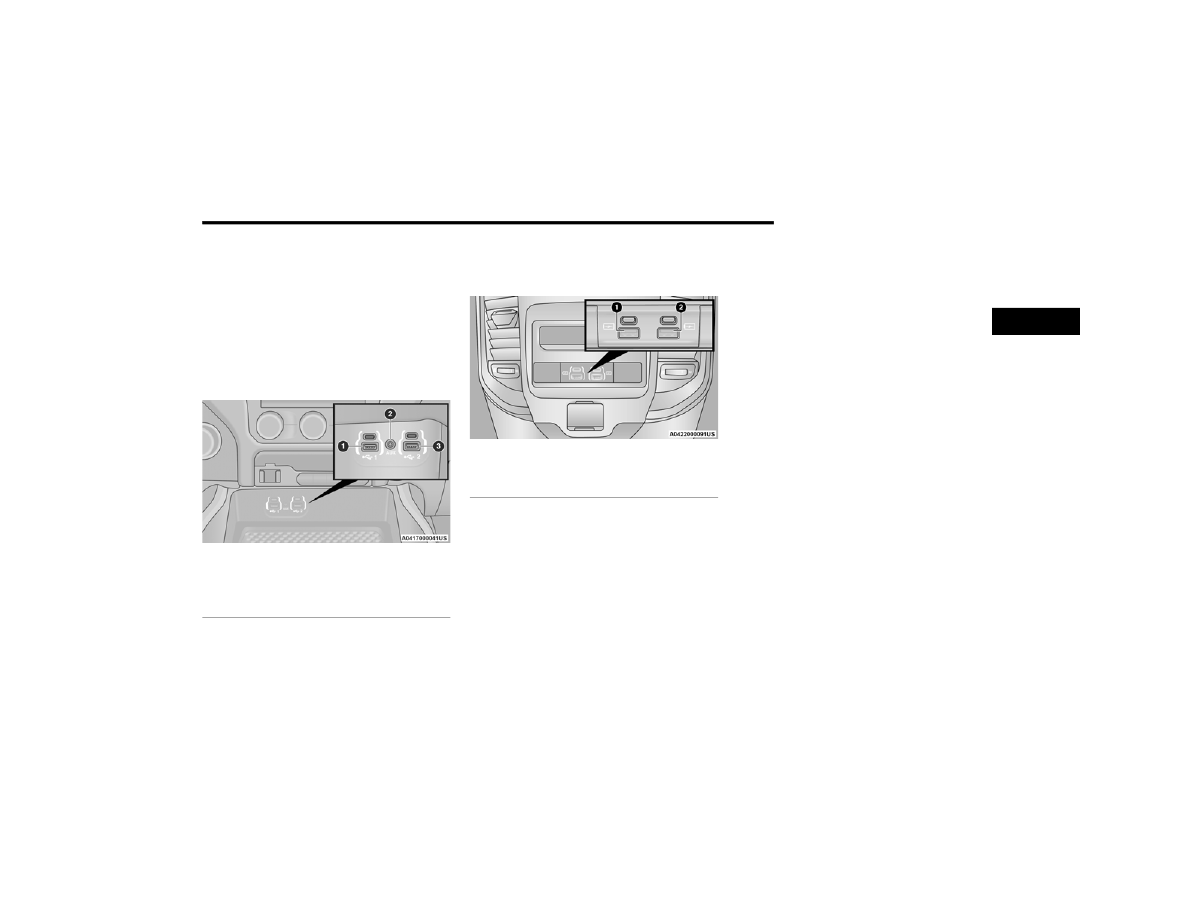
Center Stack USB/AUX Media Hub
The third and fourth USB ports are located behind
the center console, above the power inverter. Both
are charge only.
Rear USB Ports
Applicable to only Uconnect 5/5 NAV With 8.4-inch
Display, and Uconnect 5 NAV With 12-inch Display
radios, different scenarios are listed below when a
non-phone device is plugged into the smaller and
larger USB ports, and when a phone device is
plugged into the smaller and larger USB ports:
“A new device is now connected.
Previous connection was lost”.
“(Phone Name) now connected.
Previous connection was lost”.
“Another device is in use through the same
USB port. Please disconnect the first device to
use the second device”.
NOTE:
Charge unsupported devices with the Charge Only
USB ports. If an unsupported device is plugged into
a Media USB port, a message will display on the
touchscreen that the device is not supported by
the system.
Plugging in a phone or another USB device may
cause the connection to a previous device to
be lost.
1 — Standard USB Type A Port #1
2 — AUX Port
3 — Standard USB Type A Port #2
1 — Rear Charge Only USB Ports 1
2 — Rear Charge Only USB Ports 2
2