Acura RL. Manual - part 503
GNA-600 and an iN workstation with HDS and CM update software
Use this procedure when you have to update the PCM during troubleshooting procedures.
1. Turn the ignition switch ON (II), but do not start the engine.
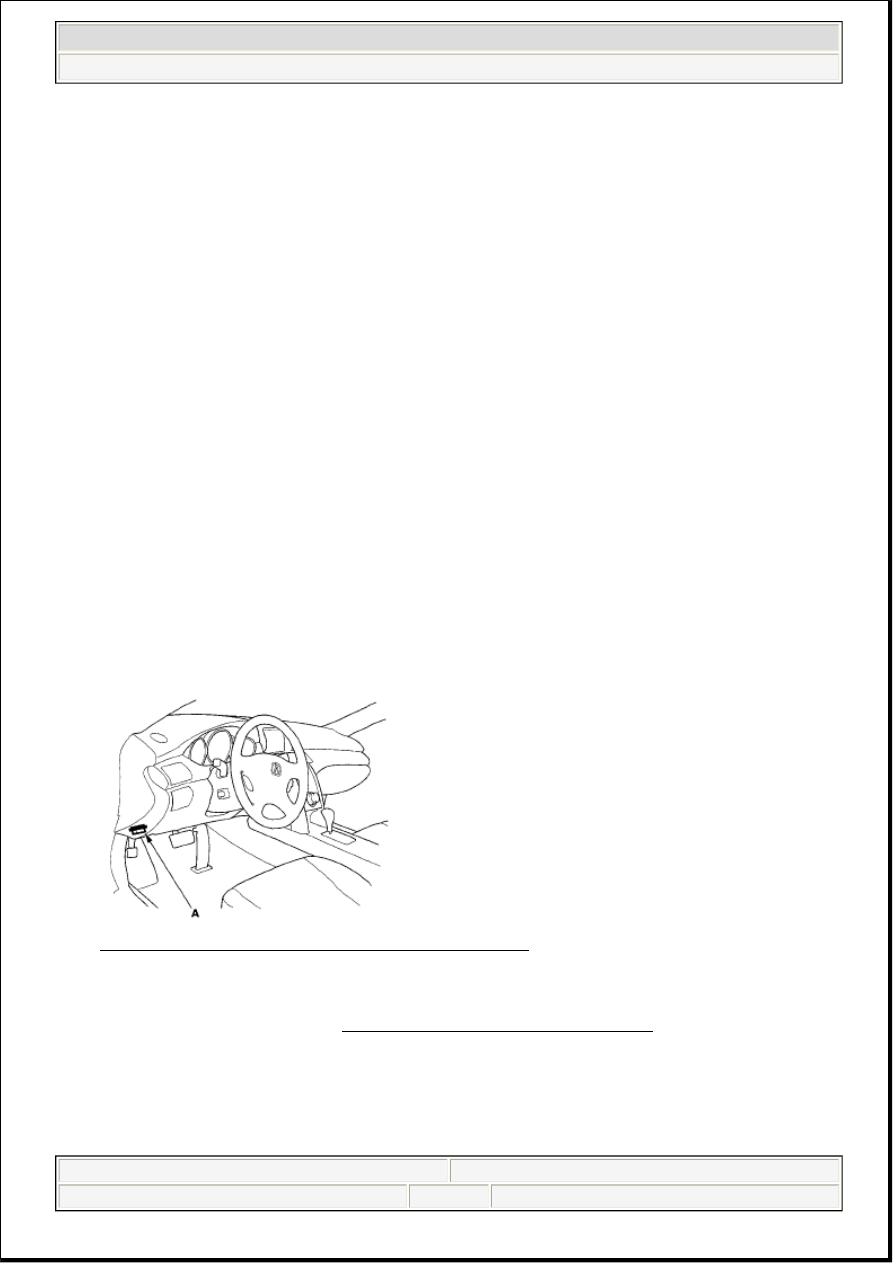
2. Connect the HDS to the data link connector (DLC) (A) located under the driver's side of the
dashboard.
Fig. 7: Identifying HDS To Data Link Connector (DLC)
Courtesy of AMERICAN HONDA MOTOR CO., INC.
3. Make sure the HDS communicates with the PCM and other vehicle systems. If it doesn't, go to the
DLC circuit troubleshooting (see DLC CIRCUIT TROUBLESHOOTING ). If you are returning
from the DLC circuit troubleshooting, skip steps 4 and 5 and clean the throttle body after updating the
PCM.
4. Select the INSPECTION MENU with the HDS.
5. Select the ETCS TEST, then select the TP POSITION CHECK, and follow the screen prompts with
the HDS.
NOTE:
Make sure the HDS/HIM has the latest software version.
Before you update the PCM, make sure the battery in the vehicle is fully
changed.
Never turn the ignition switch OFF during the update. If there is a
problem with the update, leave the ignition switch ON.
To prevent PCM damage, do not operate anything electrical (headlights,
audio system, brakes, A/C, power windows, door locks, etc.) during the
update.
To ensure the latest program is installed, do an PCM update whenever
the PCM is substituted or replaced.
You cannot update a PCM with a program it already has. It will only
accept a new program.
If you need to diagnose the Honda interface module (HIM) because the
HIM's red (#3) lamp came on or was flashed during the update, leave
the ignition switch in the ON (II) position when you disconnect the HIM
from the data link connector (DLC). This will prevent PCM damage.
2007 Acura RL
2005-08 ENGINE PERFORMANCE Fuel and Emissions Systems - RL
me
Friday, June 05, 2009 2:33:26 PM
Page 7
© 2005 Mitchell Repair Information Company, LLC.