Acura RL. Manual - part 111
T0: Weight measured by the HDS with no load on the seat. M1: Weight measured on the scale.
If the variance is ± 8.6 lbs (± 3.9 kg) or less, the check is complete. Go to step 19.
If the variance is more than ± 8.6 lbs (± 3.9 kg), remove the front passenger's weight sensors
(see FRONT PASSENGER'S WEIGHT SENSOR REPLACEMENT ), and reinstall them,
then repeat this procedure from the beginning.
If after reinstalling the front passenger's seat weight sensors, the variance still more than ± 8.6
lbs (± 3.9 kg), replace the front passenger's weight sensors and the seat riser, then go to step 1 of
"Calibrating the Front Passenger's Weight Sensor Unit."
19. Turn the ignition switch OFF, and disconnect the HDS from the DLC.
DRIVER'S SEAT POSITION SENSOR OPERATION CHECK
Check the driver's seat position sensor after any of these actions:
Driver's seat position sensor replacement
Cover plate (front side of driver's seat slide rail) replacement
1. Make sure the ignition switch is OFF (0).
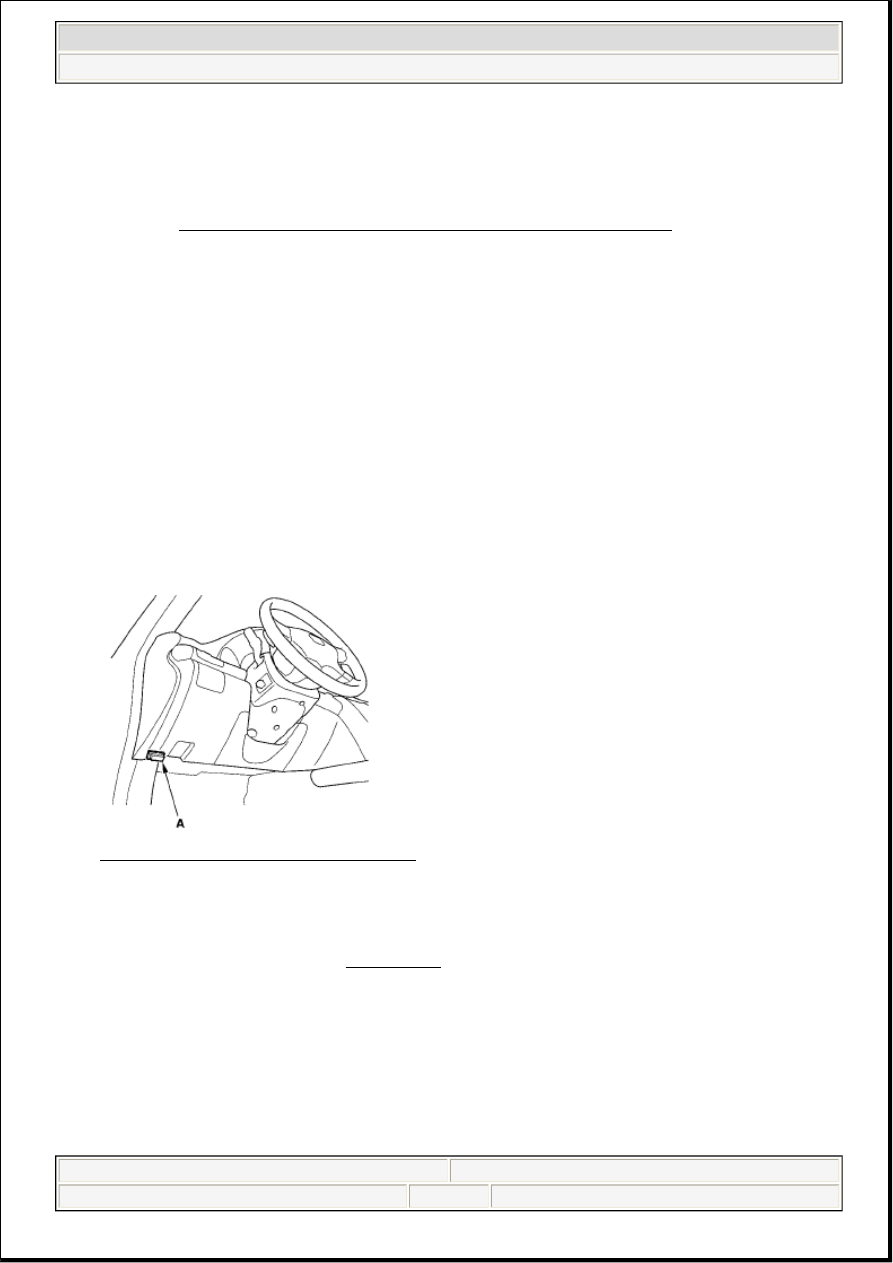
2. Connect the HDS to the data link connector (DLC) (A).
Fig. 41: Identifying Data Link Connector
Courtesy of AMERICAN HONDA MOTOR CO., INC.
3. Turn the ignition switch ON (II).
4. Make sure the HDS communicates with the vehicle and the SRS unit. If it does not communicate,
troubleshoot the DLC circuit (see '08 MODEL ).
5. From the HDS Main Menu, select SRS, then Parameter Information then Buckle Switch, Seat Position
Sensor.
6. Move the driver's seat all the way forward.
7. Using a piece of tape (A), mark a line on the seat's outer cover (B) where the front riser cover meets
the seat riser (C). The driver's seat position sensor should read "NEAR."
2007 Acura RL
2005-08 RESTRAINTS SRS (Supplemental Restraint System) - RL
me
Friday, June 05, 2009 2:21:55 PM
Page 28
© 2005 Mitchell Repair Information Company, LLC.