Acura CSX. Manual - part 713
01
SNR9A00K791000R921XFAAT02
−
−
−
−
−
−
YES
NO
YES
NO
YES
NO
DTC 92-1x (‘‘x’’ can be 0 thru 9 or A thru F):
24-169
24-169
A
B
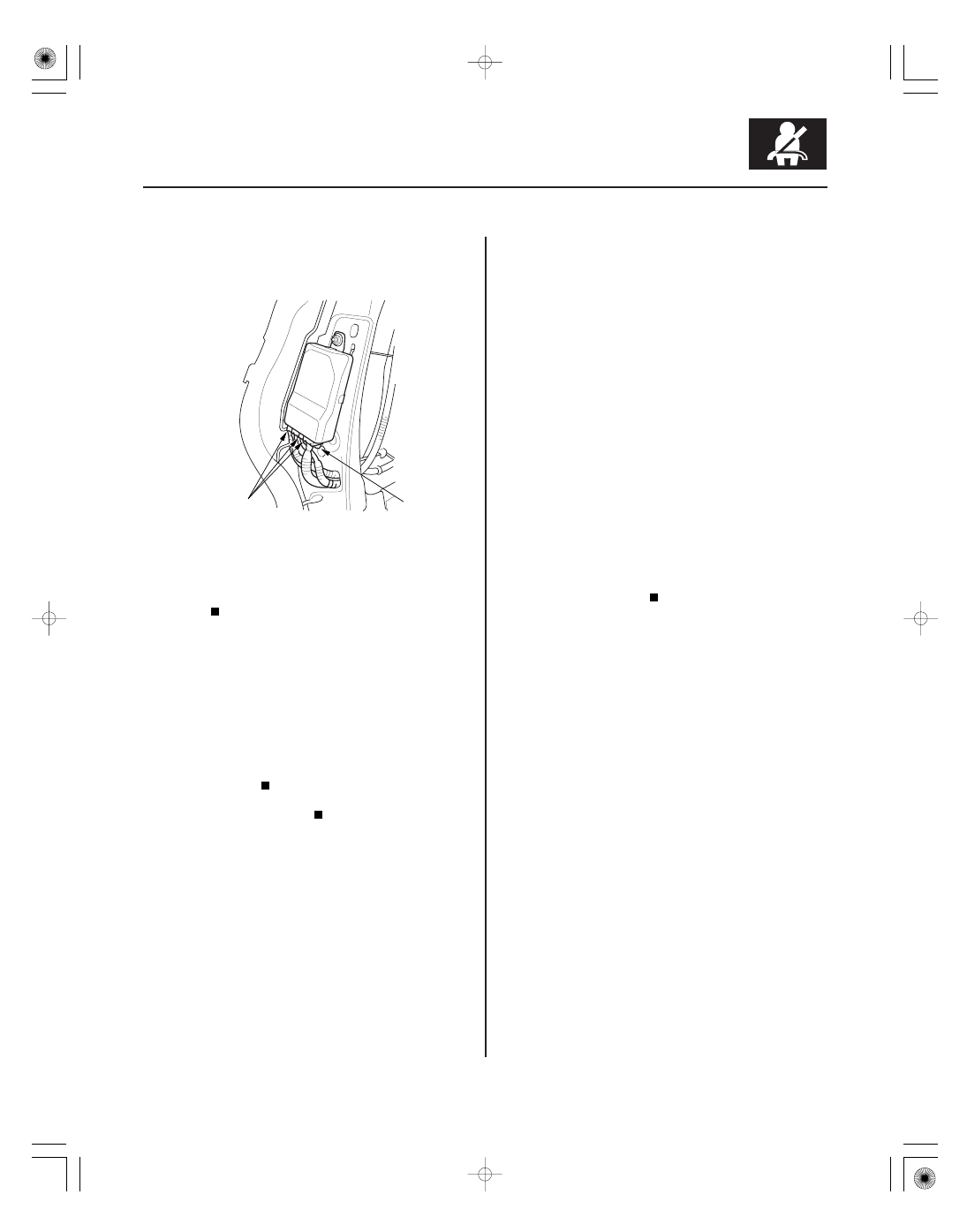
3. Check the connection at the OPDS sensor harness
connectors (A) and the ODS unit harness 18P
connector (B).
Go to step 4.
Repair the poor connection, then clear the
DTC.
4. Replace the OPDS sensor/seat-back foam (see page
20-123), and initialize the ODS unit (see page 24-26),
then clear the DTC.
5. Clear the DTC memory, then check for DTC 86-1x or
86-2x.
Replace the ODS unit (see page 24-209), then
clear the DTC.
The system is OK.
NOTE: Before doing this troubleshooting procedure,
review SRS Precautions and Procedures (see page
24-13), General Troubleshooting Information (see page
24-22), and Battery Terminal Disconnection and
Reconnection (see page 22-68).
1. Clear the DTC memory (see page 24-23).
2. Turn the ignition switch to ON (II), and check that
the SRS indicator comes on for about 6 seconds
and then goes off.
Go to step 3.
Intermittent failure, system is OK at this time.
Go to Troubleshooting Intermittent Failures
(see page 24-24). If another DTC is indicated,
troubleshoot the DTC.
3. Turn the ignition switch to LOCK (0). Disconnect the
negative cable from the battery, then wait at least
3 minutes.
4. Disconnect the passenger’s airbag cutoff indicator
4P connector (see page 24-212).
Open in the Passenger’s Airbag Cutoff
Indicator
Is the connection OK ?
Is DT C 86-1x or 86-2x indicated?
Does the SRS indicator stay on, and is DT C 92-1x
indicated?
08/08/21 14:00:55 61SNR030_240_0169