Acura CSX. Manual - part 659
 

  Index      Acura     Acura CSX - P/NO. 61SNR03 - service repair manual 2006-2009 year


Search            


Content   ..  657  658  659  660   ..


Acura CSX. Manual - part 659


*15

SNR9ANGJ36100000000FAAT04

YES

NO

YES

NO

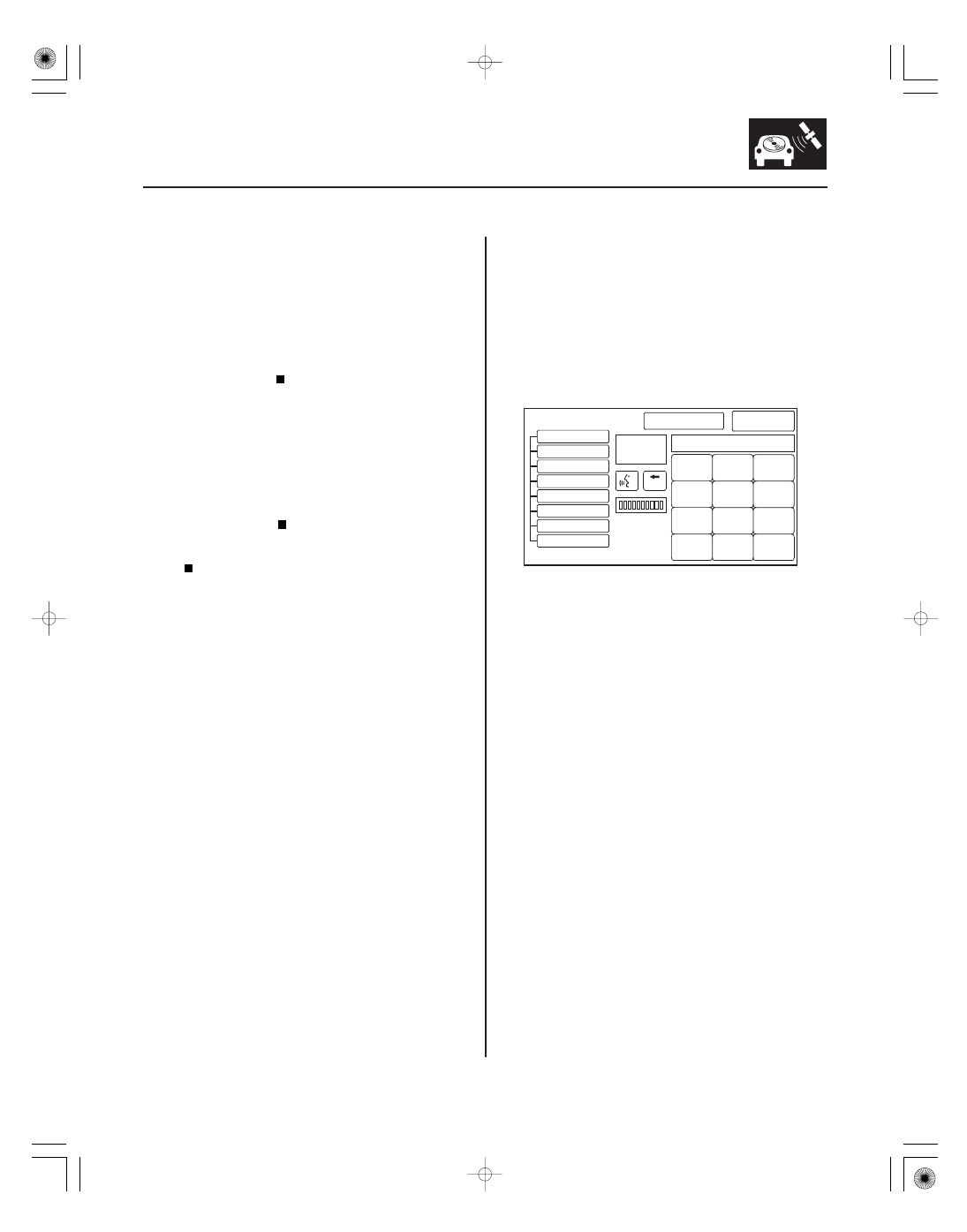
System always comes up in in-line
diagnostic mode

23-347

23-347

In Line Diag

1

2

3

4

5

6

7

8

9

0

Navi ECU

Display

XXXXCorrect PIN

GPS Antenna

RR Camera

Radio

XM

HFL

A/C

Exit Diag

Start Diag

BACK

Delete

Done

KA

2. Turn the ignition switch to ON (II).

3. Select the Self-Diagnosis mode.

4. Check for error code in the Error History.

Refer to the Hard Error Code

troubleshooting.

Go to step 5.

5. Substitute a known-good climate control unit.

Reconnect all connectors, and retest.

Replace the original climate control unit

(see page 21-75).

Replace the navigation unit (see page 23-355).

1. When a navigation unit is powered up for the first

time at the factory, the factory diagnosis screen (In
Line Diag) appears. Normally the factory performs
the steps necessary to verify proper operation, and
terminate the factory diagnostic. Until the proper
confirmation sequence is performed, the screen
will appear every time the vehicle is started.

2. Follow the steps to prevent the screen from

showing up in the future:

• Hold down the buttons (Menu, Map/Guide, and

Cancel) for about 5 seconds. The Select
Diagnosis Items screen appears.

• Hold down the Map/Guide button for 5

10 seconds. A screen with a Complete button,
appears.

• Touch Complete, and then the Return button (the

system may re-boot).

• Restart the vehicle, and confirm normal

operation by completing the PDI of the
navigation system Service Bulletin.

Ar e ther e any Har d Er r or Code stor ed?

Does the symptom go away?

08/08/21 14:17:52 61SNR030_230_0350

SNR9ANGJ36100000000FAAT11

SNR9ANGJ36100000000FAAT12

Display day/night mode does not work or
does not work properly

System locks up or freezes constantly

YES

NO

YES

NO

YES

NO

23-348

23-348

Navigation System

NOTE:

• Check the vehicle battery condition first.
• Check the connectors for poor connection or loose

terminals.

• Before troubleshooting, get the navigation system

anti-theft code.

• After troubleshooting, enter the navigation system

anti-theft code.

• Full brightness on the instrument panel brightness

control with the head lights turned on causes the
system to stay in the day mode, even when the lights
are on.

1. Make sure the instrument panel brightness control

is not on full brightness. Turn the headlights on,
and adjust the dash brightness to the middle range.

2. Change the day/night mode under Set-up to AUTO,

and recheck.

The system is OK at this time.

Go to step 3.

3. Go into the Diagnostic Menu and use the Car Status

test to check for an ILL signal (see page 23-315).

Replace the navigation unit (see page 23-355).

Check the ILL

circuit between the

navigation unit and the No. 14 (7.5 A) fuse in the
under-dash fuse/relay box.

NOTE:

• Check the vehicle battery condition first.
• Make sure that the correct DVD color and version are

installed.

• Check any official Honda service website for more

service information about the navigation system.

1. Start the engine, and turn the ignition switch to

LOCK (0), then turn the ignition switch to ON (II).

The system is OK at this time.

Check the DVD for scratches or damage, and

the navigation unit for water damage. If OK, go into
the Diagnostic Menu, and do all of the Unit Check
tests (see page 23-305). Also check for low battery
charge or poor charging system performance.

Does the display change to day and night modes
when tur ning the headlights on and of f ?

Is the ILL signal OK ?

Does the system r eboot?

08/08/21 14:17:52 61SNR030_230_0351

SNR9ANGJ36100000000FAAT27

SNR9ANGJ36100000000FAAT17

Navigation display stays on with ignition
switch in LOCK (0)

Navigation cannot control audio system

YES

NO

YES

NO

YES

NO

YES

NO

YES

NO

23-349

23-349

NOTE:

• Check the connectors for poor connections or loose

terminals.

• Before troubleshooting, get the navigation system

anti-theft code, then write down the audio presets.

• After troubleshooting, re-enter the anti-theft code,

and re-initialize the navigation system, then enter the
audio presets.

• Check for aftermarket accessories that use the same

power circuit. A feedback can cause this problem.

1. Remove the key from the ignition.

Go to step 2.

The system is OK at this time.

2. The vehicle may have been used as a

demonstration vehicle at an event like an auto
show. In these events, power is often jumpered to
the navigation system so that the ignition key is not
needed in the vehicle. At the end of the show, the
jumper wire may not have been removed. Check
the navigation unit connector A (24P) for a non-
factory jumper wire in series with the factory cable.

Remove the jumper wire, and re-test. Return

the jumper wire to Tech Line.

Go to step 3.

3. Check if the audio unit works.

Troubleshoot the ACC circuit for a short to

power with another circuit.

Replace the navigation unit (see page 23-355).

NOTE:

• Check the vehicle battery condition first.
• Verify that the correct navigation unit is installed for

this model. Go into the Diagnostic mode and use
Version (see page 23-316).

• Check for connectors for poor connections loose

terminals.

• Before troubleshooting, make sure you have anti-

theft codes for the navigation system.

• After troubleshooting, enter the anti-theft codes for

the navigation system.

• Make sure that the correct navigation DVD color and

version are installed.

• Inspect the navigation DVD for dirt or damage.
• Check any official Honda service website for more

service information about the navigation system.

1. Make sure the anti-theft code for the navigation

system is entered.

2. Go into the Diagnostic Menu, and use the Navi

System Link test (see page 23-297).

Do the troubleshooting for the voice

guidance cannot be heard (see page 23-341).

Go to step 3.

3. Substitute a known-good navigation unit (see page

23-355), and recheck.

Replace the navigation unit (see page 23-355).

Do the audio system troubleshooting.

Does the navigation scr een stay on?

Is ther e a jumper wir e?

Does the audio unit wor k with the ignition switch
of f ?

Is the Radio icon r ed?

Can the navigation contr ol audio?

08/08/21 14:17:52 61SNR030_230_0352

SNR9ANGJ36100000000FAAT16

*05

*06

SNR9ANGJ36100000000FAAT06

Navigation cannot control XM radio

Navigation frequently asks for anti-theft
code and/or needs GPS initialization

YES

NO

YES

NO

YES

NO

YES

NO

23-350

23-350

Navigation System

NAVIGATION UNIT CONNECTOR A (24P)

B BACK UP (WHT)

NAVIGATION UNIT CONNECTOR A (24P)

ACC RADIO (PUR)

NOTE:

• Check the vehicle battery condition first.
• Make sure that the correct DVD color and version are

installed.

• Check any official Honda service website for more

service information about the navigation system.

1. Start the vehicle.

2. Make sure the anti-theft code for the navigation

system is entered.

3. Go into the Diagnostic mode, and use the System

Links diagnosis (see page 23-297).

Do the troubleshooting for the voice

guidance cannot be heard (see page 23-341).

Go to step 4.

4. Substitute a known-good navigation unit (see page

23-355).

Replace the navigation unit (see page 23-355).

Replace the XM receiver (see page 23-258).

NOTE:

• This is often caused by a loss of battery power, a low

or poor battery condition, or a poor ground.

• Make sure that the correct DVD color and version are

installed.

• Check any official Honda service website for more

service information about the navigation system.

1. Measure the voltage between navigation unit

connector A (24P) terminal No. 24 and body ground.

Go to step 2.

Repair open in the wire between the under-

dash fuse/relay box and the navigation unit.

2. Turn the ignition switch to ON (II).

3. Measure the voltage between navigation unit

connector A (24P) terminal No. 14 and body ground.

Go to step 4.

Repair open in the wire between the under-

dash fuse/relay box and the navigation unit.

Wire side of female terminals

Wire side of female terminals

Is the X M icon r ed?

Can the navigation system contr ol X M r adio?

Is ther e batter y voltage?

Is ther e batter y voltage?

08/08/21 14:17:52 61SNR030_230_0353


Content   ..  657  658  659  660   ..