Buick-Terraza (2005 year). Manual - part 16
 

  Index      Buick     Buick-Terraza (2005 year) - manual in english


Search            copyright infringement  


Content      ..     14      15      16      17     ..


Buick-Terraza (2005 year). Manual - part 16


Anti-Lock Brake System (ABS)

Your vehicle has anti-lock brakes. ABS is an advanced
electronic braking system that will help prevent a
braking skid.

When you start your engine and begin to drive away,
your anti-lock brake system will check itself. You
may hear a momentary motor or clicking noise while
this test is going on, and you may even notice that your
brake pedal moves or pulses a little. This is normal.

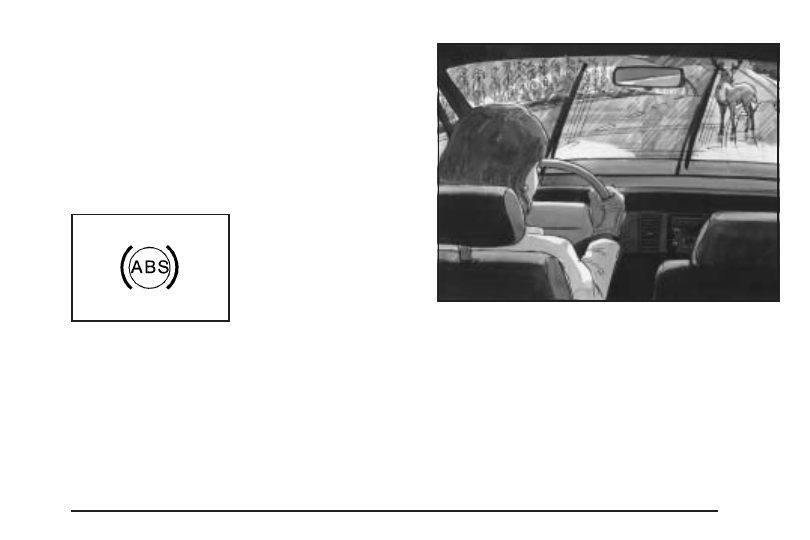
If there is a problem with
the anti-lock brake system,
this warning light will
stay on. See Anti-Lock
Brake System Warning
Light 
on page 3-38.

Let us say the road is wet and you are driving safely.
Suddenly, an animal jumps out in front of you. You slam
on the brakes and continue braking. Here is what
happens with ABS:

A computer senses that wheels are slowing down. If
one of the wheels is about to stop rolling, the computer
will separately work the brakes at each wheel.

4-7

-------------------------------------------------------------------------------------------------------------------------------------------------------------

The anti-lock system can change the brake pressure
faster than any driver could. The computer is
programmed to make the most of available tire and road
conditions. This can help you steer around the obstacle
while braking hard.

As you brake, your computer keeps receiving updates on
wheel speed and controls braking pressure accordingly.

Remember: Anti-lock does not change the time you
need to get your foot up to the brake pedal or always
decrease stopping distance. If you get too close to
the vehicle in front of you, you will not have time to apply
your brakes if that vehicle suddenly slows or stops.
Always leave enough room up ahead to stop, even
though you have anti-lock brakes.

Using Anti-Lock

Do not pump the brakes. Just hold the brake pedal
down firmly and let anti-lock work for you. You may feel
a slight brake pedal pulsation or notice some noise,
but this is normal.

Braking in Emergencies

With anti-lock brakes, you can steer and brake at the
same time. In many emergencies, steering can help you
more than even the very best braking.

4-8

-------------------------------------------------------------------------------------------------------------------------------------------------------------

Traction Control System (TCS)

Your vehicle may have a traction control system that
limits wheel spin. This is especially useful in slippery
road conditions. On a front-wheel-drive vehicle,
the system operates if it senses that one or both of the
front wheels are spinning or beginning to lose traction.
On an all-wheel-drive vehicle, the system will operate if it
senses that any of the wheels are spinning or beginning
to lose traction. When this happens, the system
brakes the spinning wheel(s) and/or reduces engine
power to limit wheel spin.

The TRACTION CONTROL ACTIVE message will come
on in the Driver Information Center (DIC) when the
traction control system is limiting wheel spin. You may
feel or hear the system working, but this is normal.

If your vehicle is in cruise control when the traction
control system begins to limit wheel spin, the cruise
control will automatically disengage. When road
conditions allow you to safely use it again, you may
re-engage the cruise control.

This warning light
will come on to let you
know if there is a
problem with your
traction control system.

When this warning light is on, the system will not limit
wheel spin. Adjust your driving accordingly.

If the SERVICE TRACTION SYSTEM message in the
DIC comes on and stays on or comes on while you are
driving, there’s a problem with your traction control
system. Have the traction control system serviced by
your GM dealer as soon as possible.

When this warning message is on, the TRACTION
CONTROL OFF message in the DIC will come on to
remind you that the system will not limit wheel spin.
Adjust your driving accordingly.

4-9

-------------------------------------------------------------------------------------------------------------------------------------------------------------

The traction control system automatically comes on
whenever you start your vehicle. To limit wheel
spin, especially in slippery road conditions, you should
always leave the system on. But you can turn the
traction control system off if you ever need to. You
should turn the system off if your vehicle ever gets stuck
in sand, mud or snow and rocking the vehicle is
required. See Rocking Your Vehicle to Get It Out on
page 4-32 
and If Your Vehicle is Stuck in Sand, Mud,
Ice or Snow 
on page 4-31.

To turn the system
off, press the traction
control button located
on the center of the
instrument panel.

If the system is limiting wheel spin when you press the
button, the TRACTION CONTROL ACTIVE message
will go off, but the system will not turn off until there
is no longer a current need to limit wheel spin.
The TRACTION CONTROL OFF message will come
on to remind you the system is off. You can turn
the system back on at any time by pressing the button
again. The traction control system warning message
should go off.

StabiliTrak

®

System

Your vehicle may be equipped with StabiliTrak

®

which

combines anti-lock brake, traction and stability
control systems and helps the driver maintain directional
control of the vehicle in most driving conditions.

When you first start your vehicle and begin to drive
away, the system performs several diagnostic checks to
insure there are no problems. You may hear or feel
the system working. This is normal and does not mean
there is a problem with your vehicle.

If the system fails to turn on or activate, the SERVICE
STABILITY SYSTEM message will be displayed on
the Driver Information Center (DIC). If the vehicle has
gone through heavy acceleration or braking or multiple
turns during the first two miles of driving after starting
your vehicle, the STABILITY CONTROL OFF message
may appear on the DIC. If this is the case, your
vehicle does not need servicing. You will need to turn
the vehicle off and then restart it to initialize StabiliTrak

®

.

If either message appears on the DIC, and your
vehicle has not gone through hard acceleration, braking
or multiple turns in the first two miles of driving, your
vehicle should be taken in for service.

The STABILITY CONTROL ACTIVE message will
appear on the DIC only when the system is both on and
activated. It means that an advanced computer-controlled
system has come on to help your vehicle continue
to go in the direction in which you are steering.

4-10

-------------------------------------------------------------------------------------------------------------------------------------------------------------

StabiliTrak

®

activates when the computer senses that

your vehicle is just starting to spin, as it might if you hit a
patch of ice or other slippery spot on the road. When the
system activates, you may hear a noise or feel a vibration
in the brake pedal. This is normal. When the STABILITY
CONTROL ACTIVE message is on, you should continue
to steer in the direction you want to go. The system is
designed to help you in bad weather or other difficult
driving situations by making the most of whatever road
conditions will permit. For more information on the
stability messages, see Driver Information Center (DIC)
on page 3-45.

If the StabiliTrak

®

system turns off, the traction control

system warning light will illuminate, and the STABILITY
CONTROL OFF message will appear on the DIC to
warn the driver that StabiliTrak

®

is no longer available

to assist you with directional control of the vehicle.
Adjust your driving accordingly.

To limit wheel spin and realize the full benefits of the
stability enhancement system, you should normally
leave traction control on, but it may be necessary to
turn the system off if your vehicle is stuck in sand, mud,
ice or snow, and you want to “rock” your vehicle to
attempt to free it. See Rocking Your Vehicle to Get It
Out 
on page 4-32 and If Your Vehicle is Stuck in Sand,
Mud, Ice or Snow 
on page 4-31.

Traction Control Operation

The traction control system is part of the StabiliTrak

®

system. Traction control limits wheel spin by reducing
engine power to the wheels (engine speed
management) and by applying brakes to each individual
wheel (brake-traction control) as necessary.

The traction control system is enabled automatically
when you start your vehicle. It will activate and display
the TRACTION CONTROL ACTIVE message in the
DIC if it senses that any of the wheels are spinning or
beginning to lose traction while driving an all-wheel-drive
vehicle, or if one or both of the front wheels are
spinning or beginning to lose traction while driving a
front-wheel-drive vehicle.

If the brake traction-control system activates constantly
or if the brakes have heated up due to high-speed
braking, brake traction-control will be disabled and the
TRACTION CONTROL ACTIVE message will be
displayed. In the limited mode, the traction control
system will only use engine traction-control and is limited
in its ability to provide optimal performance since the
system will not utilize brake traction-control to control
slip on the drive wheels. The system will return to normal
operation after the brakes have cooled. This can take
up to two minutes or longer depending on brake usage.

4-11

-------------------------------------------------------------------------------------------------------------------------------------------------------------

The traction control system may activate on dry or
rough roads or under conditions such as heavy
acceleration while turning or abrupt upshifts/downshifts
of the transmission. When this happens you may
notice a reduction in acceleration, or may hear a noise
or vibration. This is normal.

If your vehicle is in cruise control when the system
activates, the STABILITY CONTROL ACTIVE message
will appear on the DIC and the cruise control will
automatically disengage. When road conditions allow
you to use cruise again, you may re-engage the cruise
control. See Cruise Control on page 3-10.

StabiliTrak

®

may also turn off automatically if it

determines that a problem exists with the system.
If the problem does not clear itself after restarting the
vehicle, you should see your dealer for service.

All-Wheel Drive (AWD) System

If your vehicle has all-wheel drive (AWD), the AWD
system operates automatically without any action
required by the driver. If the front drive wheels begin to
slip, the rear wheels will automatically begin to drive
the vehicle as required. There may be a slight
engagement noise during hard use but this is normal.

During heavy AWD applications, the engine torque
may be reduced to protect AWD system components.
If the vehicle is exposed to extended heavy AWD usage,
the AWD system will shut itself off to protect the
system from overheating. When the system cools down,
the AWD system will activate itself again automatically;
this cool-down can take up to 20 minutes depending
on outside temperature and vehicle use.

Steering

Power Steering

If you lose power steering assist because the engine
stops or the system is not functioning, you can steer but
it will take much more effort.

Steering Tips

Driving on Curves

It is important to take curves at a reasonable speed.

A lot of the “driver lost control” accidents mentioned on
the news happen on curves. Here is why:

Experienced driver or beginner, each of us is
subject to the same laws of physics when driving
on curves. The traction of the tires against the road
surface makes it possible for the vehicle to change
its path when you turn the front wheels.

4-12

-------------------------------------------------------------------------------------------------------------------------------------------------------------

If there is no traction, inertia will keep the vehicle going
in the same direction. If you have ever tried to steer
a vehicle on wet ice, you will understand this.

The traction you can get in a curve depends on the
condition of your tires and the road surface, the angle at
which the curve is banked, and your speed. While you
are in a curve, speed is the one factor you can control.

Suppose you are steering through a sharp curve.
Then you suddenly apply the brakes. Both control
systems — steering and braking — have to do their work
where the tires meet the road. Unless you have
four-wheel anti-lock brakes, adding the hard braking can
demand too much of those places. You can lose
control.

The same thing can happen if you are steering through
a sharp curve and you suddenly accelerate. Those
two control systems — steering and acceleration — can
overwhelm those places where the tires meet the
road and make you lose control. See Traction Control
System (TCS) 
on page 4-9.

What should you do if this ever happens? Ease up on
the brake or accelerator pedal, steer the vehicle the way
you want it to go, and slow down.

Speed limit signs near curves warn that you should
adjust your speed. Of course, the posted speeds
are based on good weather and road conditions. Under
less favorable conditions you will want to go slower.

If you need to reduce your speed as you approach a
curve, do it before you enter the curve, while your front
wheels are straight ahead.

Try to adjust your speed so you can “drive” through the
curve. Maintain a reasonable, steady speed. Wait to
accelerate until you are out of the curve, and then
accelerate gently into the straightaway.

Steering in Emergencies

There are times when steering can be more effective
than braking. For example, you come over a hill and find
a truck stopped in your lane, or a car suddenly pulls
out from nowhere, or a child darts out from between
parked cars and stops right in front of you. You
can avoid these problems by braking — if you can stop
in time. But sometimes you cannot; there is not room.
That is the time for evasive action — steering around
the problem.

Your vehicle can perform very well in emergencies like
these. First apply your brakes.

See Braking on page 4-6. It is better to remove as much
speed as you can from a possible collision. Then
steer around the problem, to the left or right depending
on the space available.

4-13

-------------------------------------------------------------------------------------------------------------------------------------------------------------

An emergency like this requires close attention and a
quick decision. If you are holding the steering wheel at
the recommended 9 and 3 o’clock positions, you
can turn it a full 180 degrees very quickly without
removing either hand. But you have to act fast, steer
quickly, and just as quickly straighten the wheel
once you have avoided the object.

The fact that such emergency situations are always
possible is a good reason to practice defensive driving
at all times and wear safety belts properly.

Off-Road Recovery

You may find that your right wheels have dropped off the
edge of a road onto the shoulder while you’re driving.

If the level of the shoulder is only slightly below the
pavement, recovery should be fairly easy. Ease off the
accelerator and then, if there is nothing in the way,
steer so that your vehicle straddles the edge of
the pavement. You can turn the steering wheel up to
one-quarter turn until the right front tire contacts
the pavement edge. Then turn your steering wheel to
go straight down the roadway.

4-14

-------------------------------------------------------------------------------------------------------------------------------------------------------------

Passing

The driver of a vehicle about to pass another on a
two-lane highway waits for just the right moment,
accelerates, moves around the vehicle ahead, then
goes back into the right lane again. A simple maneuver?

Not necessarily! Passing another vehicle on a two-lane
highway is a potentially dangerous move, since the
passing vehicle occupies the same lane as oncoming
traffic for several seconds. A miscalculation, an error in
judgment, or a brief surrender to frustration or anger
can suddenly put the passing driver face to face with the
worst of all traffic accidents — the head-on collision.

So here are some tips for passing:

Drive ahead. Look down the road, to the sides and
to crossroads for situations that might affect your
passing patterns. If you have any doubt whatsoever
about making a successful pass, wait for a
better time.

Watch for traffic signs, pavement markings and
lines. If you can see a sign up ahead that might
indicate a turn or an intersection, delay your pass.
A broken center line usually indicates it is all
right to pass, providing the road ahead is clear.
Never cross a solid line on your side of the lane or
a double solid line, even if the road seems empty
of approaching traffic.

Do not get too close to the vehicle you want to
pass while you are awaiting an opportunity. For
one thing, following too closely reduces your area
of vision, especially if you are following a larger
vehicle. Also, you will not have adequate space if
the vehicle ahead suddenly slows or stops.
Keep back a reasonable distance.

When it looks like a chance to pass is coming up,
start to accelerate but stay in the right lane and
do not get too close. Time your move so you will be
increasing speed as the time comes to move into
the other lane. If the way is clear to pass, you
will have a running start that more than makes
up for the distance you would lose by dropping
back. And if something happens to cause you to
cancel your pass, you need only slow down
and drop back again and wait for another
opportunity.

If other vehicles are lined up to pass a slow vehicle,
wait your turn. But take care that someone is not
trying to pass you as you pull out to pass the slow
vehicle. Remember to glance over your shoulder
and check the blind spot.

4-15

-------------------------------------------------------------------------------------------------------------------------------------------------------------

Check your mirrors, glance over your shoulder,
and start your left lane change signal before moving
out of the right lane to pass. When you are far
enough ahead of the passed vehicle to see its
front in your inside mirror, activate your right lane
change signal and move back into the right
lane. Remember that your right outside mirror is
convex. The vehicle you just passed may seem to
be farther away from you than it really is.

Try not to pass more than one vehicle at a time on
two-lane roads. Reconsider before passing the
next vehicle.

Do not overtake a slowly moving vehicle too rapidly.
Even though the brake lamps are not flashing, it
may be slowing down or starting to turn.

If you are being passed, make it easy for the
following driver to get ahead of you. Perhaps
you can ease a little to the right.

Loss of Control

Let us review what driving experts say about what
happens when the three control systems — brakes,
steering, and acceleration — do not have enough
friction where the tires meet the road to do what the
driver has asked.

In any emergency, do not give up. Keep trying to steer
and constantly seek an escape route or area of less
danger.

Skidding

In a skid, a driver can lose control of the vehicle.
Defensive drivers avoid most skids by taking reasonable
care suited to existing conditions, and by not overdriving
those conditions. But skids are always possible.

The three types of skids correspond to your vehicle’s
three control systems. In the braking skid, your wheels
are not rolling. In the steering or cornering skid, too much
speed or steering in a curve causes tires to slip and lose
cornering force. And in the acceleration skid, too much
throttle causes the driving wheels to spin.

4-16

-------------------------------------------------------------------------------------------------------------------------------------------------------------

A cornering skid is best handled by easing your foot off
the accelerator pedal.

If you have the Traction Control System (TCS),
remember: It helps avoid only the acceleration skid. See
Traction Control System (TCS) on page 4-9. If you do
not have this system, or if the system is off, then
an acceleration skid is also best handled by easing your
foot off the accelerator pedal.

If your vehicle starts to slide, ease your foot off the
accelerator pedal and quickly steer the way you want
the vehicle to go. If you start steering quickly enough,
your vehicle may straighten out. Always be ready
for a second skid if it occurs.

Of course, traction is reduced when water, snow, ice,
gravel, or other material is on the road. For safety,
you will want to slow down and adjust your driving to
these conditions. It is important to slow down on slippery
surfaces because stopping distance will be longer and
vehicle control more limited.

While driving on a surface with reduced traction, try
your best to avoid sudden steering, acceleration,
or braking, including engine braking by shifting to a
lower gear. Any sudden changes could cause the tires
to slide. You may not realize the surface is slippery
until your vehicle is skidding. Learn to recognize warning
clues — such as enough water, ice, or packed snow
on the road to make a mirrored surface — and
slow down when you have any doubt.

If you have the anti-lock braking system (ABS),
remember: It helps avoid only the braking skid. If you do
not have ABS, then in a braking skid, where the
wheels are no longer rolling, release enough pressure
on the brakes to get the wheels rolling again. This
restores steering control. Push the brake pedal down
steadily when you have to stop suddenly. As long as the
wheels are rolling, you will have steering control.

4-17

-------------------------------------------------------------------------------------------------------------------------------------------------------------

Driving at Night

Night driving is more dangerous than day driving.
One reason is that some drivers are likely to be
impaired — by alcohol or drugs, with night vision
problems, or by fatigue.

Here are some tips on night driving.

Drive defensively.

Do not drink and drive.

Adjust your inside rearview mirror to reduce the
glare from headlamps behind you.

Since you cannot see as well, you may need to
slow down and keep more space between you
and other vehicles.

Slow down, especially on higher speed roads. Your
headlamps can light up only so much road ahead.

In remote areas, watch for animals.

If you are tired, pull off the road in a safe place
and rest.

No one can see as well at night as in the daytime.
But as we get older these differences increase.
A 50-year-old driver may require at least twice as much
light to see the same thing at night as a 20-year-old.

What you do in the daytime can also affect your
night vision. For example, if you spend the day in bright
sunshine you are wise to wear sunglasses. Your
eyes will have less trouble adjusting to night. But if
you are driving, do not wear sunglasses at night. They
may cut down on glare from headlamps, but they
also make a lot of things invisible.

4-18

-------------------------------------------------------------------------------------------------------------------------------------------------------------

You can be temporarily blinded by approaching
headlamps. It can take a second or two, or even several
seconds, for your eyes to re-adjust to the dark. When
you are faced with severe glare, as from a driver
who does not lower the high beams, or a vehicle with
misaimed headlamps, slow down a little. Avoid
staring directly into the approaching headlamps.

Keep your windshield and all the glass on your vehicle
clean — inside and out. Glare at night is made much
worse by dirt on the glass. Even the inside of the glass
can build up a film caused by dust. Dirty glass makes
lights dazzle and flash more than clean glass would,
making the pupils of your eyes contract repeatedly.

Remember that your headlamps light up far less
of a roadway when you are in a turn or curve. Keep
your eyes moving; that way, it is easier to pick out
dimly lighted objects. Just as your headlamps should
be checked regularly for proper aim, so should your
eyes be examined regularly. Some drivers suffer from
night blindness — the inability to see in dim light — and
are not even aware of it.

Driving in Rain and on Wet Roads

Rain and wet roads can mean driving trouble. On a
wet road, you cannot stop, accelerate, or turn as well
because your tire-to-road traction is not as good as
on dry roads. And, if your tires do not have much tread
left, you will get even less traction. It is always wise
to go slower and be cautious if rain starts to fall while
you are driving. The surface may get wet suddenly when
your reflexes are tuned for driving on dry pavement.

4-19

-------------------------------------------------------------------------------------------------------------------------------------------------------------

The heavier the rain, the harder it is to see. Even if
your windshield wiper blades are in good shape, a heavy
rain can make it harder to see road signs and traffic
signals, pavement markings, the edge of the road, and
even people walking.

It is wise to keep your wiping equipment in good shape
and keep your windshield washer tank filled with
washer fluid. Replace your windshield wiper inserts
when they show signs of streaking or missing areas on
the windshield, or when strips of rubber start to
separate from the inserts.

Driving too fast through large water puddles or even
going through some car washes can cause problems,
too. The water may affect your brakes. Try to avoid
puddles. But if you cannot, try to slow down before
you hit them.

{

CAUTION:

Wet brakes can cause accidents. They will not
work as well in a quick stop and may cause
pulling to one side. You could lose control of
the vehicle.

After driving through a large puddle of water
or a car wash, apply your brake pedal lightly
until your brakes work normally.

Hydroplaning

Hydroplaning is dangerous. So much water can build
up under your tires that they can actually ride on
the water. This can happen if the road is wet enough
and you are going fast enough. When your vehicle
is hydroplaning, it has little or no contact with the road.

4-20

-------------------------------------------------------------------------------------------------------------------------------------------------------------

Hydroplaning does not happen often. But it can if your
tires do not have much tread or if the pressure in one or
more is low. It can happen if a lot of water is standing
on the road. If you can see reflections from trees,
telephone poles, or other vehicles, and raindrops dimple
the water’s surface, there could be hydroplaning.

Hydroplaning usually happens at higher speeds. There
just is not a hard and fast rule about hydroplaning.
The best advice is to slow down when it is raining.

Driving Through Deep Standing Water

Notice: If you drive too quickly through deep
puddles or standing water, water can come in
through your engine’s air intake and badly damage
your engine. Never drive through water that is
slightly lower than the underbody of your vehicle.
If you cannot avoid deep puddles or standing water,
drive through them very slowly.

Driving Through Flowing Water

{

CAUTION:

Flowing or rushing water creates strong forces.
If you try to drive through flowing water, as
you might at a low water crossing, your vehicle
can be carried away. As little as six inches
of flowing water can carry away a smaller
vehicle. If this happens, you and other vehicle
occupants could drown. Do not ignore police
warning signs, and otherwise be very cautious
about trying to drive through flowing water.

Some Other Rainy Weather Tips

Turn on your low-beam headlamps — not just your
parking lamps — to help make you more visible to
others.

Besides slowing down, allow some extra following
distance. And be especially careful when you
pass another vehicle. Allow yourself more clear
room ahead, and be prepared to have your
view restricted by road spray.

Have good tires with proper tread depth.
See Tires on page 5-47.

4-21

-------------------------------------------------------------------------------------------------------------------------------------------------------------

City Driving

One of the biggest problems with city streets is the
amount of traffic on them. You will want to watch out for
what the other drivers are doing and pay attention to
traffic signals.

Here are ways to increase your safety in city driving:

Know the best way to get to where you are
going. Get a city map and plan your trip into
an unknown part of the city just as you would for a
cross-country trip.

Try to use the freeways that rim and crisscross
most large cities. You will save time and energy.
See Freeway Driving on page 4-23.

Treat a green light as a warning signal. A traffic
light is there because the corner is busy enough
to need it. When a light turns green, and just before
you start to move, check both ways for vehicles
that have not cleared the intersection or may
be running the red light.

4-22

-------------------------------------------------------------------------------------------------------------------------------------------------------------


Content      ..     14      15      16      17     ..